
Best AI Image Generation Tools in 2026
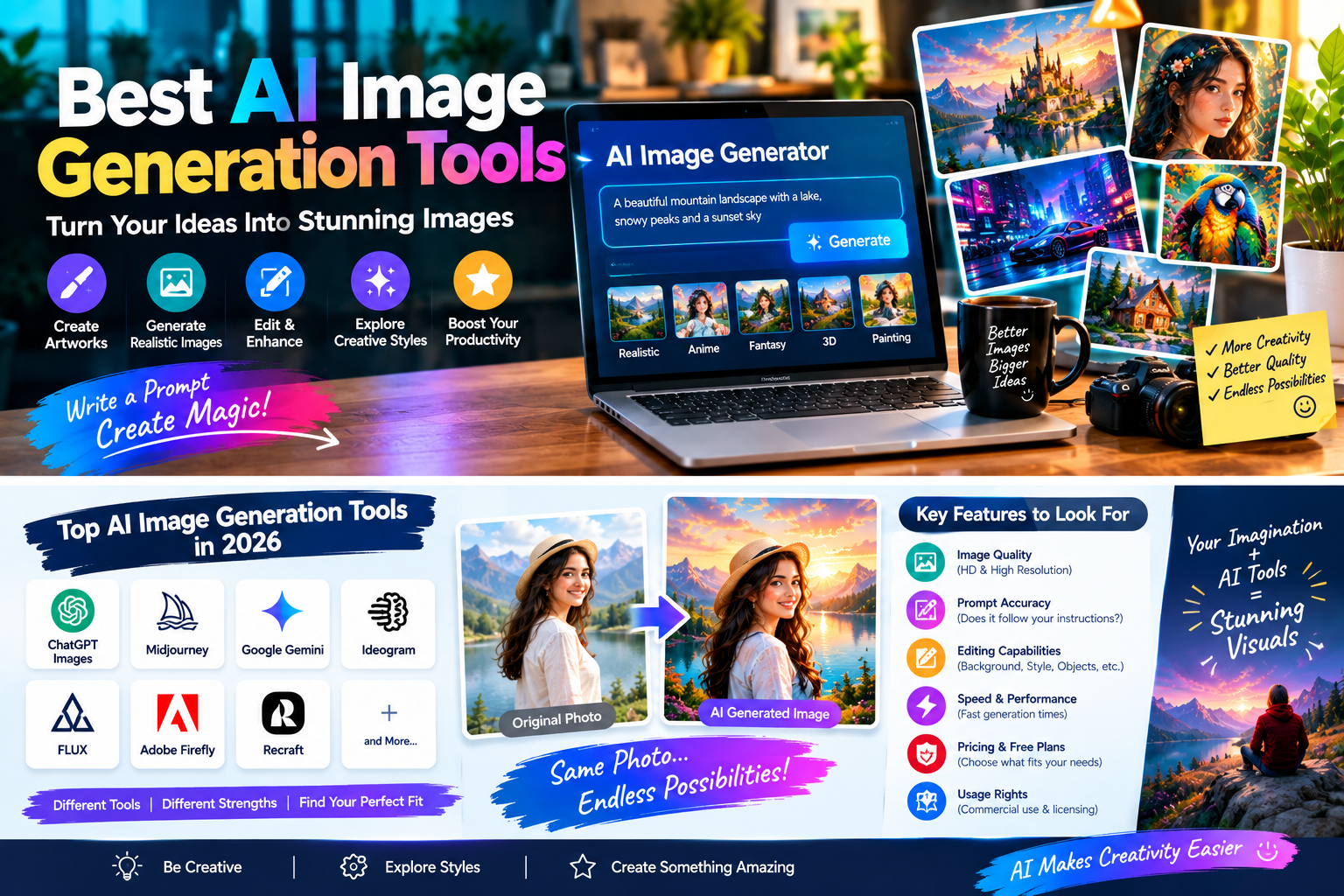
AI image generation has become one of the most useful applications of artificial intelligence for creators, designers, marketers, bloggers, businesses, and everyday users. Modern AI image generation tools can turn simple text prompts into detailed illustrations, realistic scenes, marketing visuals, concept art, product images, and other forms of digital content. In 2026, the technology has developed beyond basic text-to-image generation, with many platforms now offering image editing, reference-image support, better typography, image expansion, style controls, and more advanced creative workflows. Current comparisons show that different tools specialize in different areas, including artistic generation, prompt following, editing, graphic design, customization, and professional workflows.
What Are AI Image Generation Tools?
AI image generation tools are software platforms that use artificial intelligence models to create or modify images based on user instructions. The most common method is text-to-image generation, where users describe an image using a written prompt. The AI then interprets the description and creates a visual result. Some tools can also work with an existing image, allowing users to change backgrounds, remove objects, expand the canvas, modify styles, or create new variations. This makes modern AI image tools useful for more than simply generating pictures from scratch. Depending on the platform, users can create artwork, realistic visuals, advertisements, website graphics, social media content, illustrations, and creative concepts without manually designing every element.
Text-to-Image and Image Editing
Text-to-image generation is only one part of the current AI image ecosystem. Many platforms now combine generation with editing features, allowing users to start with an existing picture and then describe the changes they want. This can make AI useful for both creating completely new images and improving or transforming existing visual content.
Best AI Image Generation Tools in 2026
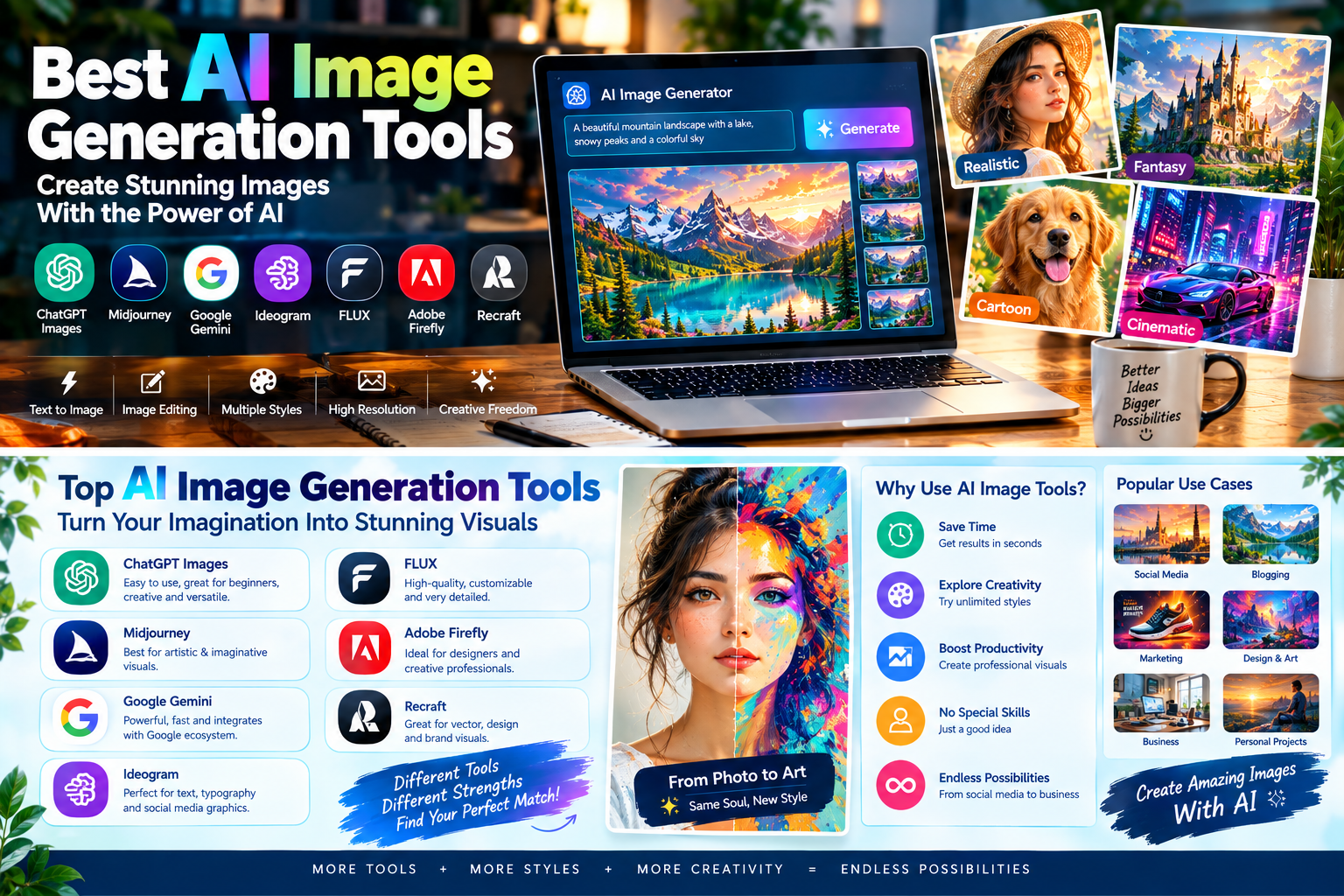
The AI image-generation market now includes many different platforms and models, and there is no single tool that is perfect for every purpose. Current 2026 comparisons include platforms such as ChatGPT Images, Midjourney, Google Gemini’s image-generation capabilities, Ideogram, FLUX, Adobe Firefly, and Recraft. Different tools are designed around different workflows. Some emphasize artistic quality, some focus on editing and prompt accuracy, while others are particularly useful for typography, graphic design, customization, or integration with professional creative software.
ChatGPT Images
ChatGPT’s current image-generation capabilities are designed around a conversational workflow. Users can describe what they want, generate an image, and then provide additional instructions to refine it. This approach can be convenient for people who prefer natural-language interaction instead of learning a complicated collection of settings. Current 2026 reporting also notes improvements in speed and visual quality in the latest ChatGPT image-generation experience.
Midjourney
Midjourney is widely used for artistic and visually distinctive image generation. It is particularly relevant for users interested in concept art, cinematic compositions, imaginative environments, and stylized visuals. Current 2026 comparisons continue to highlight Midjourney’s artistic capabilities and strong visual output.
Google Gemini
Google’s Gemini ecosystem includes AI image-generation capabilities that can be useful for both creating and editing images. Current 2026 comparisons highlight Google’s image tools particularly for users already working within the Google ecosystem and for workflows involving image editing.
AI Image Generation Tools for Realistic Images
Realistic image generation is one of the most popular applications of AI. Modern models can create scenes that resemble photographs, including people, environments, products, interiors, landscapes, and lifestyle compositions. However, realism is not simply about adding the word “realistic” to a prompt. The quality of the result also depends on the model, prompt structure, lighting description, composition, and image requirements. Some current tools are particularly strong at photorealistic generation, while others are better suited to artistic or graphic styles. FLUX, for example, is highlighted in current comparisons for customization and control, while other platforms focus more heavily on general-purpose image creation.
Creating Photorealistic Images
For realistic results, users can describe the subject, environment, lighting, camera perspective, depth, and overall atmosphere. Specific instructions can help the model understand what type of image is required. It is also useful to generate several variations and compare them instead of expecting the first result to be perfect.
AI Image Tools for Artistic and Creative Work
AI image generators are especially popular among artists and creative professionals because they can quickly produce visual concepts. Users can experiment with fantasy environments, digital paintings, illustrations, cinematic scenes, abstract artwork, futuristic cities, and many other styles. Midjourney is frequently associated with artistic image generation, while FLUX and other models provide different levels of customization and control.
AI can also be useful during the brainstorming stage. An artist may generate several rough concepts before deciding which idea to develop further. Instead of spending hours producing every early concept manually, the creator can use AI to explore different visual directions and then refine the selected concept using other creative tools.
AI Image Generation Tools for Text and Typography
Generating readable text inside images has historically been challenging for many AI image models. However, newer tools have improved significantly in this area. Current 2026 comparisons specifically highlight Ideogram for image generation involving readable text, typography, logos, and poster-style designs.
Creating Posters and Social Graphics
Typography-focused AI tools can be useful for creating posters, advertisements, banners, thumbnails, and social media graphics. When an image requires specific words or a clear headline, users should choose a platform that has strong text-rendering capabilities. It is still important to review the final image carefully because even advanced models can occasionally make spelling or layout mistakes.
AI Image Generators for Designers
Professional designers can use AI image-generation tools as part of a broader creative workflow. Instead of replacing traditional design software, AI can help with brainstorming, creating references, exploring layouts, generating backgrounds, and developing early concepts. Adobe Firefly is particularly relevant for users who already work with Adobe’s creative ecosystem, because its generative features can be integrated with other Adobe workflows. Current comparisons also identify Firefly as a tool focused on professional creative work and integration with photos and design applications.
AI as a Creative Assistant
A designer can provide an initial idea to an AI system, generate several alternatives, select a useful direction, and then refine the result manually. This workflow gives the creator more control over the final design while using AI to speed up repetitive or exploratory tasks.
Free AI Image Generation Tools
Many users search for free AI image generation tools because they want to experiment before paying for a subscription. Free access is available on several platforms, although the exact limits vary. Some services may restrict the number of generations, resolution, speed, advanced models, or editing features. Current 2026 comparisons list free or limited-free options across several major platforms.
A free plan can be perfectly suitable for someone creating occasional images for personal projects. Users who need frequent generation for websites, businesses, or professional projects may eventually need a paid plan. Before subscribing, it is useful to compare monthly limits, available models, image quality, commercial-use terms, and additional features.
How to Write Better AI Image Prompts
A good prompt can significantly improve the quality of an AI-generated image. Instead of using a very short description, explain the most important visual elements. Start with the main subject, then describe the environment, composition, lighting, mood, and style. For example, instead of writing “modern office,” you could describe a bright modern office with large windows, contemporary furniture, indoor plants, natural daylight, and a clean professional atmosphere.
Prompt Structure
A useful prompt structure can include subject + environment + composition + lighting + style + important details. You do not need to include every element in every prompt. Focus on the details that are important to the desired image. If the first result is not satisfactory, change specific parts of the prompt instead of completely starting over.
AI Image Tools for Bloggers and Content Creators
Bloggers and content creators can use AI image-generation tools to create original visuals for articles, social media posts, videos, thumbnails, presentations, and other digital content. A technology blog might create a futuristic AI-themed illustration, while a travel website could generate a conceptual landscape related to a destination. Custom visuals can also help reduce dependence on generic stock imagery.
AI-generated images can be particularly useful for article hero images and illustrations placed between sections. However, website owners should check the terms of the AI platform they use, especially when images are being used commercially. Licensing conditions can differ between platforms and plans.
AI Image Generation for Businesses and Marketing
Businesses can use AI image tools for advertising concepts, social media campaigns, website visuals, product concepts, presentations, and creative brainstorming. AI can help marketing teams quickly explore several visual directions before investing more time in a final campaign. It can also help smaller businesses create initial visual concepts without requiring advanced design skills.
Product and Promotional Images
AI can be used to experiment with product backgrounds, lifestyle scenes, promotional compositions, and campaign concepts. However, businesses should carefully review generated images when they represent real products. An AI-generated visual should not accidentally show a product with features, dimensions, or characteristics that it does not actually have.
Important Features to Compare
When choosing between AI image generation tools, users should look at more than just the quality of sample images. Important factors include image quality, generation speed, prompt accuracy, editing capabilities, resolution, aspect-ratio options, reference-image support, ease of use, pricing, and usage rights. Different tools can perform very differently depending on the task. Current comparisons show this specialization clearly: some platforms emphasize artistic results, others focus on prompt adherence, text rendering, customization, graphic design, or professional workflows.
It can be useful to test several tools using similar prompts. This gives users a practical understanding of how each platform handles their specific type of content rather than relying only on general recommendations.
Benefits and Limitations of AI Image Generation
AI image-generation tools offer several benefits, including speed, accessibility, creative flexibility, and the ability to explore ideas quickly. They can help beginners create visual content while giving experienced designers another tool for brainstorming and experimentation. They can also reduce the time required to produce early concepts.
However, AI image generation still has limitations. Images may contain incorrect details, inconsistent objects, unusual compositions, or inaccurate text. Results can also vary between models and even between multiple generations using the same prompt. Users should therefore review AI-generated images carefully before publishing or using them professionally.
How to Choose the Right AI Image Generation Tool
The right AI image generation tool depends on the user’s specific requirements. Someone interested in artistic images may look for strong style and creative controls, while a marketer may prioritize typography, brand workflows, or editing. A beginner may prefer a simple interface, whereas an experienced creator may want greater customization or access to advanced models.
It is also important to consider cost and usage rights. A platform with a free plan may be enough for occasional projects, while professional users may need higher generation limits and additional features. Checking the current terms before commercial use is especially important because licensing and plan conditions can change.
Future of AI Image Generation Tools
AI image generation is continuing to evolve rapidly. Modern tools are moving from simple prompt-to-picture systems toward more interactive creative assistants capable of generation, editing, reference-image handling, and multi-step visual workflows. Current 2026 comparisons already emphasize improvements in editing, consistency, typography, and control as important differences between leading tools.
Future systems are likely to provide even more precise control over individual objects, characters, layouts, lighting, and visual styles. AI image generation may also become more deeply integrated with graphic design, photography, video, presentations, and other creative applications. As the technology develops, users will increasingly need to understand not only how to generate images but also how to evaluate, edit, and use them responsibly.
Final Thoughts
The Best AI Image Generation Tools in 2026 offer a wide range of capabilities for creating, editing, and transforming digital images. Tools such as ChatGPT Images, Midjourney, Google Gemini, Ideogram, FLUX, Adobe Firefly, and Recraft demonstrate how different AI platforms can serve different creative needs. Current comparisons show that there is no universal feature set that makes one platform ideal for every project; instead, tools increasingly specialize in areas such as artistic generation, editing, text rendering, customization, and professional design workflows.
For beginners, the best approach is to experiment with a few tools and learn how they respond to different prompts. For professional creators, factors such as image quality, control, workflow integration, pricing, and usage rights deserve careful consideration. As AI image technology continues to improve, these tools are likely to become an increasingly important part of digital creativity, helping people turn ideas into engaging visual content faster and with greater flexibility.